What is it?
During a planning or a biopsy, the yellow message "registration error" appears. It means that the resulting ultrasound image of the prostate has not been carried out correctly.
This article explains the steps to follow to perform a patient review. It will help to prevent this message from appearing again.
How to perform a patient review?
Performing a patient review will determine the cause of the issue. In case of a misuse, it can happen during the panorama or during the biopsies:
1. Misuse during panorama
a. Check the contour
Check the contour of the prostate following those steps.
b. Incomplete prostate
- Make sure the whole prostate is included in the Panorama.
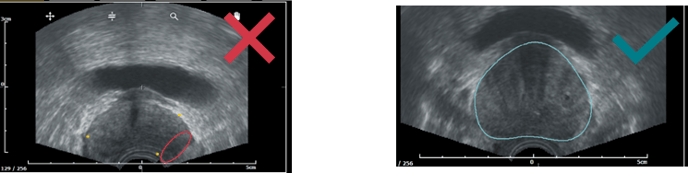
- Check if there is :
- Enough gel on the probe head
- No air bubble in the probe protection
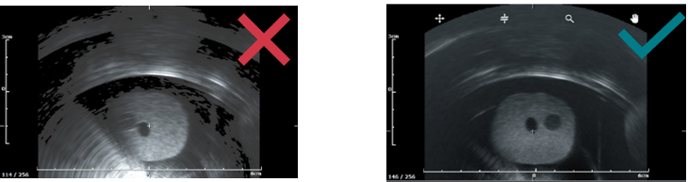
c. US depth not well adjusted
- Adjust the prostate depth so the prostate does not take up more than half of the US image.
- When taking a panorama, make sure the prostate fits inside the yellow box.
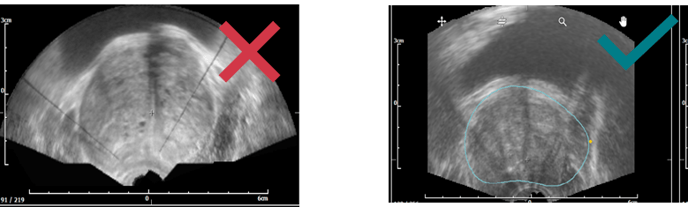
d. Probe pressure and image
- Lobes exceed ultrasound image (top left image) → gland deformation due to excessive pressure on the prostate.
- Prostate is too far from the probe head (top right image) → not enough pressure.
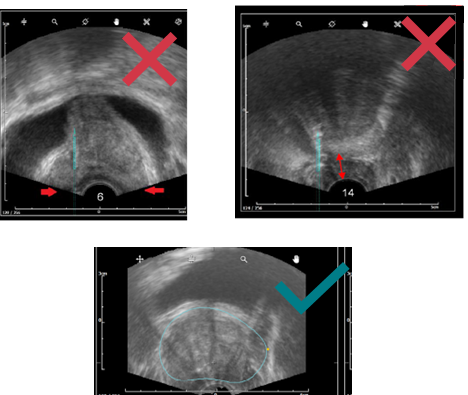
- White lines of probe head have to be continuous.
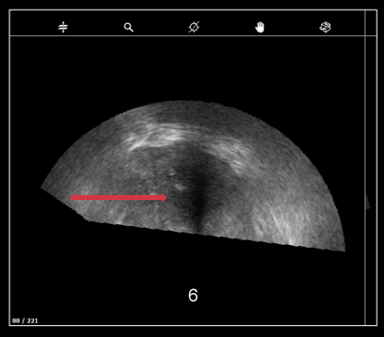
- The ultrasound image must not have black continuous line (ultrasound noise).
If you suspect a bad image quality, read this article.
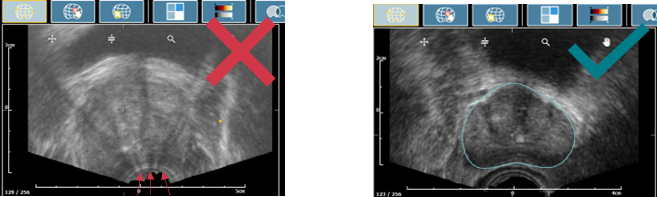
e. Bounding Box not well adjusted
Reviewing the grid allows to check the bounding box adjustement : It must fit correctly with the prostate contour.
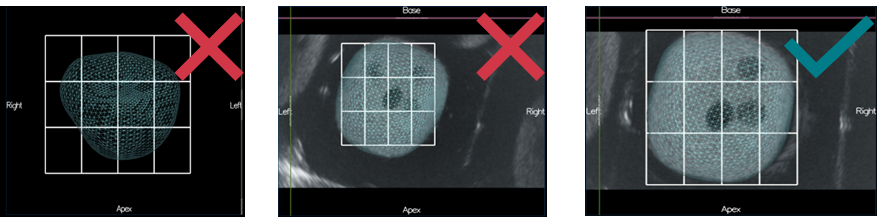
2. Misuse during 3D acquisition
a. The prostate is incomplete
Probe rotation - in transrectal approach, for biopsy to be perform to the left side of the prostate, the needle guide shall be placed on the left side of the patient.
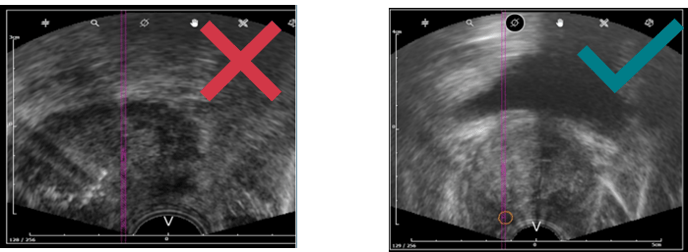
b. Compare settings with panorama’s setting
- US depth must remain the same between the panorama and the following biopsy acquisitions.
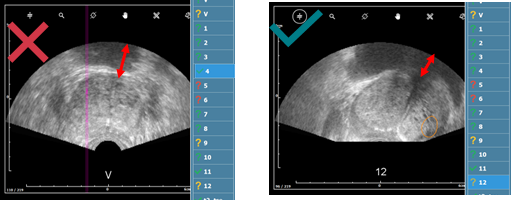
- Panorama settings must be the same as the acquisition settings to have a good image fusion.
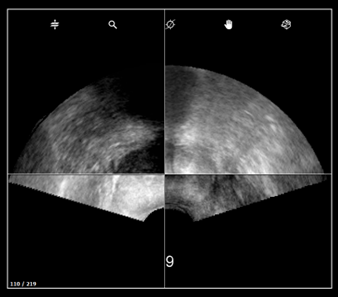
c. Probe pressure and probe troubles
- Lobes exceed ultrasound image → gland deformation due to excessive pressure on the prostate.
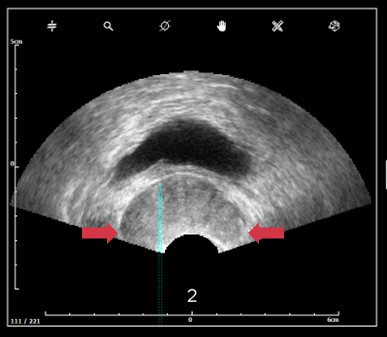
-
Prostate must be clearly visible, no black continuous line should appear. If you suspect a bad image quality, read this article.
3. Report your investigations to KOELIS
At the end of your investigations, if none of the steps above solved the issue retrieve the patient exam and open a customer request via this form. Attach the data to the form.
How to solve?
In the vast majority of the cases, the issue is due to a misuse and one of the steps above will solve the issue. Otherwise, KOELIS Service team will perform deeper investigations and will come back to you quickly.