Definition
Log files: files that report the activity of the user for Promap application.
Dump files: files that are created when the system crashes.
Extract logs and/or dump files
Trinity system
- Start your Trinity system and open the Maintenance account
- Go in the "Launch setup"
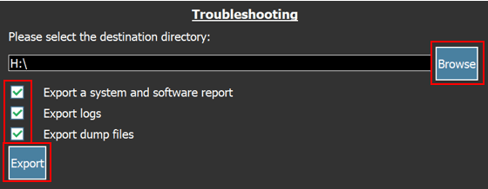
- Plug your USB key on the system, click on browse and select it.
- Check the relevant boxes and click on "Export".