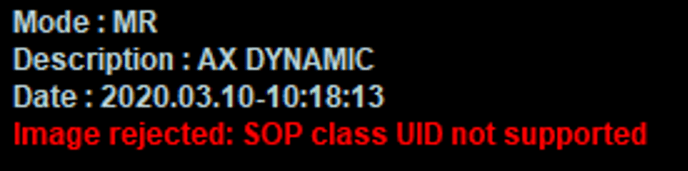
This article aims to explain the steps to take after getting an error message "SOP class UID not supported"
What is it?
Having this error means that the software does not support the type of image you tried to import (e.g. MR enhanced).
Usually, it means that the DICOM tag (0008,0016) SOP Class UID of the image is not supported by the software.
Please refer to our DICOM conformance statement to know all the compatibilities.
How to investigate?
- Go to the main page of Promap and click to the "i" button on the top right of the screen. Check that the option "PROMAP-MR" is activated.
- Import the image using the PACS: the PACS can solve most compatibility issues.
- Go in maintenance account and extract the log files following those steps.
- If possible, retrieve the image you try to import.
- Open a customer request via this form. Attach the logs to the form and report the frequency of occurence of the issue.
How to solve?
- Try to import the image from PACS and report it in customer request.
- The diagnosis will be done by Koelis Service team and they will contact you quickly.