Context
Checking and cleaning the pins of the connectors can solve a lot of connectivity issues with the probe. It has to be one of the very first actions to do when you have a connectivity issue with your probe.
Check the good state of the pins
Look for bent, broken or oxydated pins. For example:
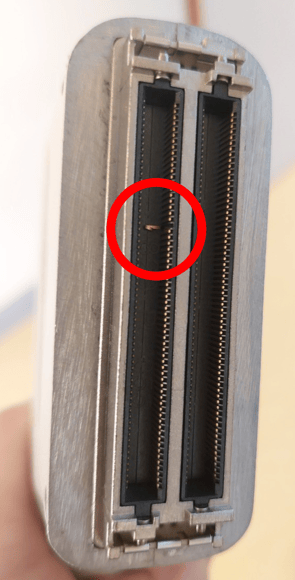 Bent pin on a probe connector
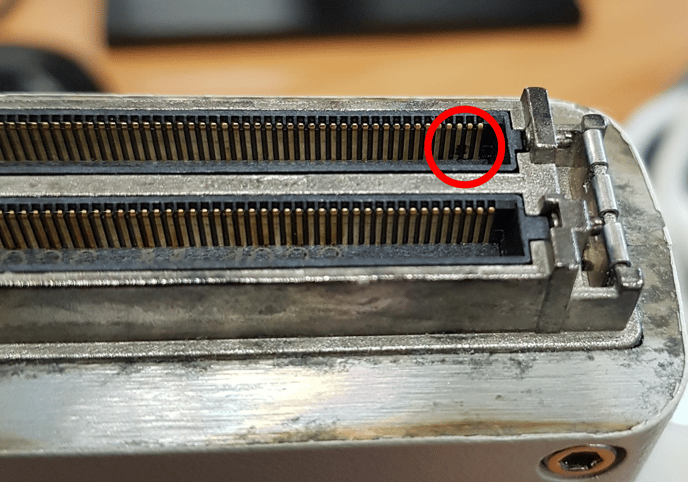 Burnt pin on a probe connector
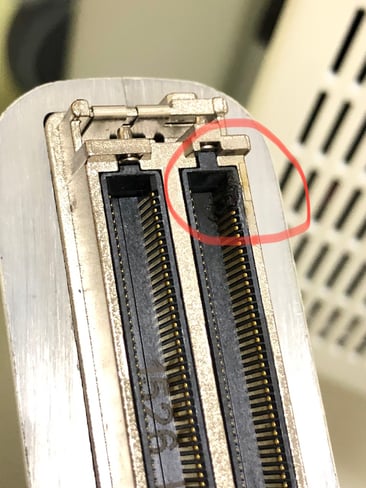
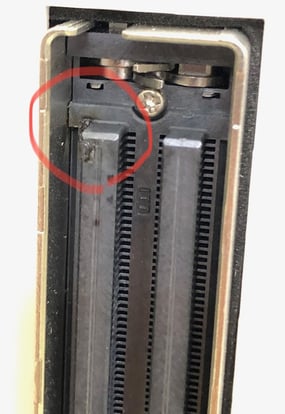
Damaged pins on probe (left) and central unit (right) connectors
To check the pins of the central unit, you first need to push the lock button. At the end, in order to prevent any damage, do not forget to push back the button:
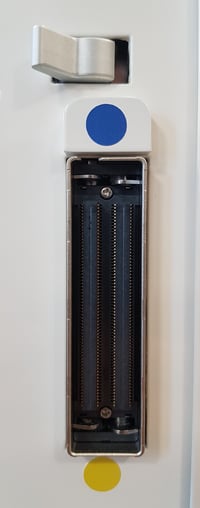 Lock button is pushed, the pins are out
Clean the pins
You will need:
-
- Isopropyl alcohol 90% minimum (99% is recommended)
- A cotton bud or a tissue.
- Soak the cotton bud or the tissue with isopropyl alcohol and gently rub the pins, especially on the oxydated pins.
- Wait a few minutes for the alcohol to evaporate completely.
- Try again to connect the probe to the system.